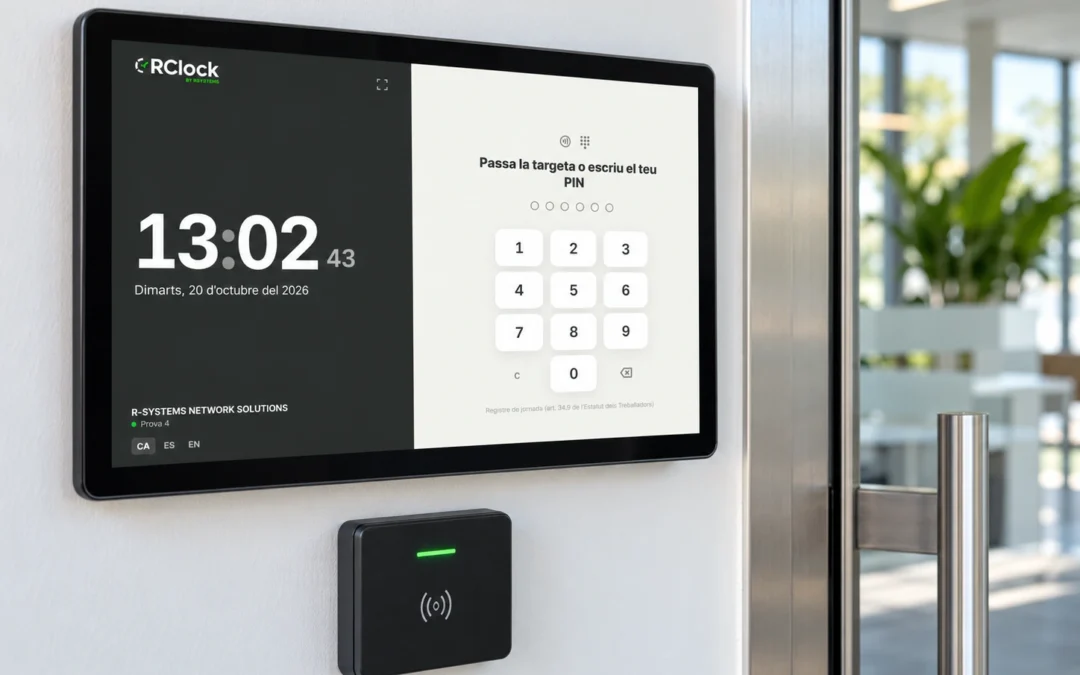
A business may need a clock-in point at the entrance, another in a break area or a practical way to record breaks. Start by separating two concepts: a tablet is the device; an RFID card or PIN is an identification method. They can therefore be part of the same clock-in point rather than three competing alternatives.
A shared tablet: a visible point for the team
A shared terminal lets employees record clock-ins, clock-outs and breaks without having to use their own phones. Location matters: it should be accessible, easy to find and suitable for workplace conditions. Review power, connectivity and physical protection for the device.
If many employees start together, observe their arrival route and the time needed to identify themselves. Testing with a group is more useful than choosing a terminal solely by how its screen looks.
RFID cards: identification using a credential
A card can make identification quicker where a compatible reader is installed. Define how credentials are assigned, who handles lost cards and how a card is deactivated when no longer needed. A card identifies the credential presented; on its own, it does not guarantee who is carrying it.
PINs: identification without carrying a card
A PIN removes the need to carry a physical credential, but each person must know their code and keep it private. Plan for forgotten or shared codes. Position the screen so employees can enter their PIN discreetly, and explain the correct procedure to the team.
What should you test before deciding?
- People flow: how many employees arrive together, and through which entrances?
- Daily operations: how are clock-ins, clock-outs and breaks recorded?
- Incidents: what happens after a lost card, forgotten PIN or incorrect entry?
- Connectivity: what is the expected behaviour if the network or power fails?
- Administration: who creates users and reviews records?
Do not assume every tablet or reader is compatible, or that records will be captured without connectivity. Confirm these points for the specific configuration being installed.
How does this work with RClock?
RClock supports planning shared clock-in points with RFID or PIN identification and centralised records in the management platform, depending on the installation. Terminals can be located where the team needs them. The image accompanying this article is illustrative: the actual device and reader depend on the project.
Explore RClock time-tracking features and terminals or request a demonstration. Bring an example of your shifts, entrances and breaks so we can assess a workflow that fits your business.