RClock Features
All your time tracking, in one tool.
Your team's management, all in one place. Clock-ins, breaks, incidents, schedules, remote work and reports in a clear, easy-to-use platform.
- Centralized information
- Access from any device
- Multi-company and multi-site management

What can you do with RClock?
The features you need
to manage your team
From the first clock-in of the day to schedule tracking: all your working time and employee information, organised in one place.
Clock-in and clock-out
Record the start and end of each working day and view employee clock-in records clearly and in an organised way.
Breaks and rest periods
Record breaks and rest periods so they are clearly identified within each employee's working day.
Workplace incidents
Record incidents, lateness, early departures and justifications related to working hours.
Reports and activity
View employee records and activity to monitor working time.
Workforce management
Manage users, departments, permissions and schedules from a single management environment.
Remote and on-site work
Identify on-site, remote or hybrid clock-ins according to your team's working arrangements.
Multi-company and multi-site management
Manage different companies, workplaces and teams from a single platform.
Security and backups
Protected data and backups to support your company's day-to-day management.
Shared clock-in terminals
Your team's time tracking,
from a single terminal
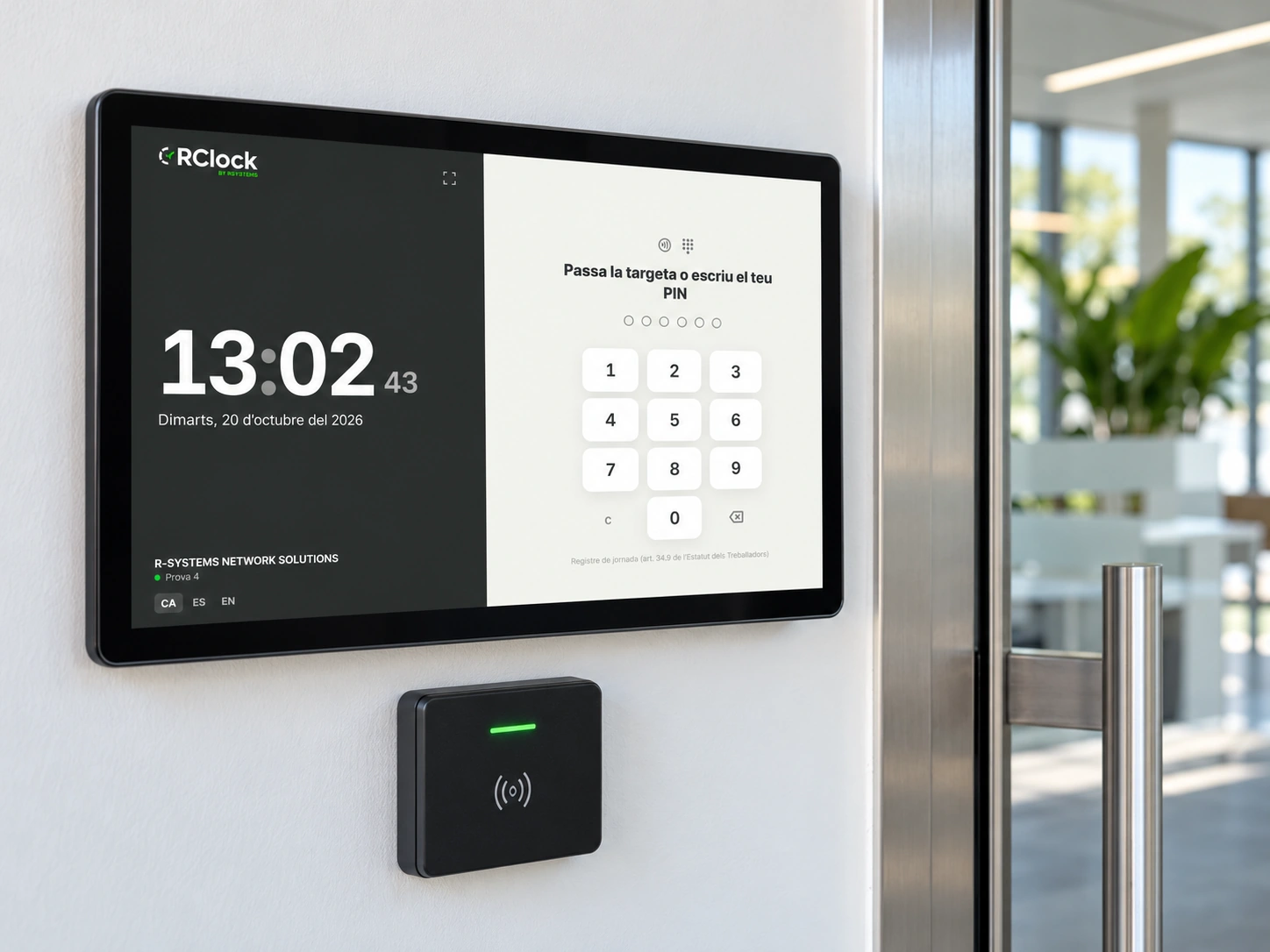
A tablet at your company's entrance. Employees identify themselves at the shared terminal and record clock-ins, clock-outs or breaks without having to use their own mobile phones.
You can place clock-in points at entrances, in break areas or in dining rooms, with all records centralised in RClock.
- Identification with an RFID card or PIN Each employee identifies themselves using the method configured for the clock-in point.
- Clock-ins, clock-outs and breaks A clear screen for recording daily work activities.
- Multiple points throughout the workplace Place terminals in the areas where your team needs them.
- Centralised information View employee clock-in records from the management platform.
For administrators and employees
A simple tool
for everyday use
Easy for employees to clock in. Clear for those managing the team. RClock helps employees record their working hours and allows the company to access the information from a single platform.
An organised interface for managing users, reviewing schedules and monitoring employee activity.
- A clear and intuitive interface.
- Access from mobile phones, tablets or computers.
- Centralised user and schedule management.
- Organised information for easy access and monitoring.

Advantages
Why choose RClock?
In-house development, adaptability and a dedicated technical team to support you with time tracking management.
In-house development
RClock is developed by Rsystems Software. We know the platform inside out and can assess adaptations based on your company's needs.
Ready to grow
Organise time tracking for small teams or companies with multiple locations. Centralise management as your organisation evolves.
Personalised support
We support you during setup and answer any questions you may have. Get direct assistance from a team that knows RClock and understands your company's needs.
Discover RClock
Want to see all the features
in action?
Request a demo and we'll show you how to manage clock-ins, schedules and employees with RClock. Tell us how your team works and we'll answer any questions you may have about the platform.